 Free Federal Spending TrackerDOGE WatchDOGE Watch — Government Efficiency AppDownload for iPhoneGet it on Google Play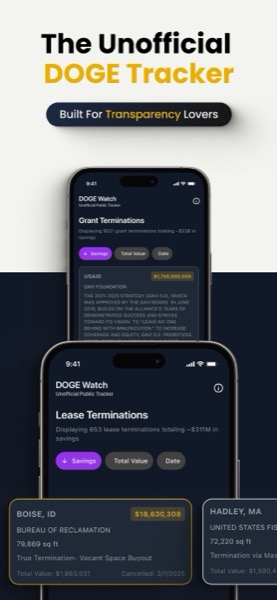
For federal employees and anyone tracking the current administration’s spending reform efforts, the data is publicly available but scattered. DOGE — the Department of Government Efficiency — publishes contract terminations, grant cancellations, lease cancellations, and estimated savings through their public API. Finding and reading that data has been the job of journalists and policy researchers. DOGE Watch is a mobile app that surfaces it cleanly for anyone with a phone.
After two months following the app’s data feed, here’s what it does, how it works, and what federal employees and government-spending watchers actually get from it.
What DOGE Watch Pulls In
The app surfaces four categories of data from the DOGE API:
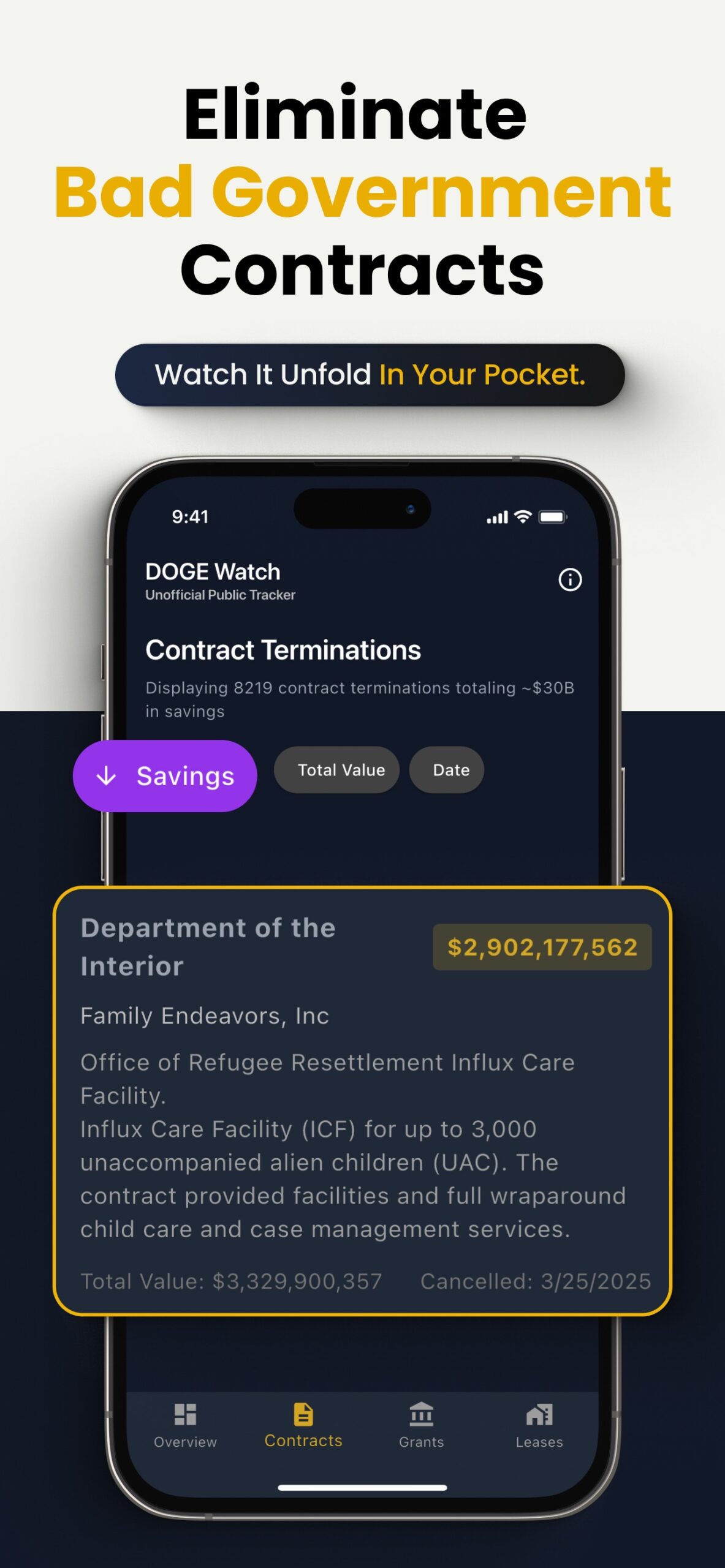
- Contract cancellations. Federal contracts terminated or reduced in scope, with the savings claimed
- Grant terminations. Federal grants cancelled before completion, with the unspent amount
- Lease cancellations. Federal real estate leases ended, with annualized savings
- Estimated taxpayer savings. Cumulative total of claimed savings across all categories
Each entry typically includes:
- Date of cancellation/termination
- Agency or department affected
- Amount claimed
- Brief description (when DOGE provides one)
The app filters by time period — last day, week, month, or three months — and provides per-agency rollups so you can see which departments are taking the most action.
What It Doesn’t Do
Two important disclaimers, both stated prominently in the app itself:
1. Not an official government app. DOGE Watch is a third-party viewer of public DOGE data. It pulls from api.doge.gov but is not affiliated with the federal government or with DOGE itself.
2. Not cryptocurrency-related. The “DOGE” in DOGE Watch refers to the Department of Government Efficiency, not Dogecoin. The app has no crypto features, no token tracking, no exchange integration.
This disambiguation matters because both DOGE meanings have substantial public attention. A federal contractor curious about contract cancellations and a crypto enthusiast tracking memecoin prices are very different users — and the app serves only the former.
Why Federal Employees Are Using It
Federal workforce is acutely aware of the spending reform context. For someone serving as a federal civilian — especially in contracting, grants management, real estate operations, or program management — DOGE actions directly affect day-to-day work. Knowing what cancellations have happened and when matters for:
Career and assignment planning. Programs being defunded mean reassignments. Contractors winding down mean career-decision pressure. Federal employees use DOGE Watch to track adjacent activity affecting their organizations.
Veterans Affairs adjacency. VA contracts and grants are tracked in the same feed. Veterans receiving services through VA-funded programs sometimes see DOGE-tracked changes affecting those programs.
Transitioning service members evaluating federal civilian employment. Knowing which agencies are reducing spending vs. expanding helps inform federal job applications and which departments to target during transition.
Federal contractors and consultants. The contract-cancellation feed is direct intelligence on which contracts ended, when, and the claimed savings. For consultants assessing federal-sector opportunities, this is operational information.
The Interface in Practice
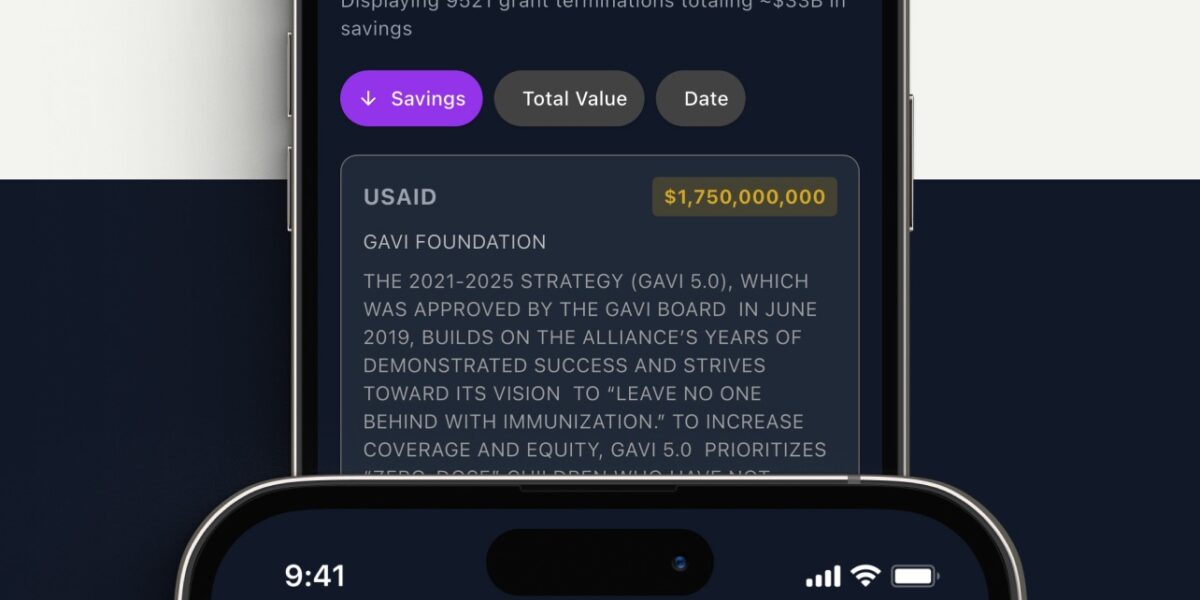
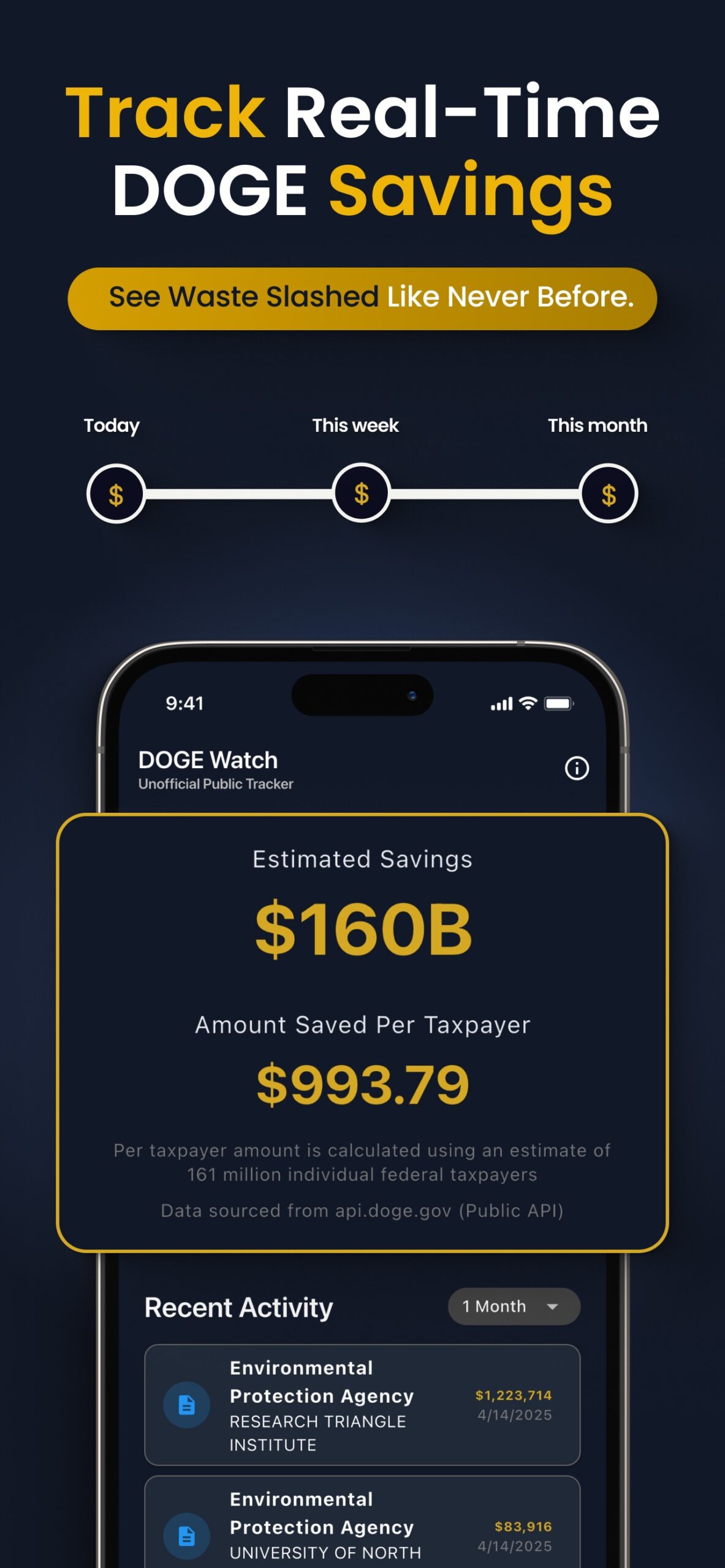
The app opens on a dashboard showing total claimed savings, with breakdown by category. Tapping into a category shows the chronological list of cancellations. Each item expands to show available detail — agency, amount, date, description.
Filters at the top let you choose:
- Time period (1 day, 1 week, 1 month, 3 months)
- Category (contracts, grants, leases, or all)
- Sort by amount or date
The Agency Tracker view rolls up activity by department. This is the most useful single screen for federal employees — see which agencies your department is interacting with, and whether DOGE activity around your work has been quiet or active.
Limitations Honest Users Should Know
Three patterns to be aware of:
1. Data quality reflects DOGE’s reporting. The app shows what DOGE publishes. If DOGE’s reporting is incomplete or delayed, the app shows incomplete or delayed data. The app is a viewer, not an independent data source.
2. “Estimated savings” is DOGE’s claim. The dollar figures attached to cancellations are DOGE’s estimates of taxpayer savings. Independent verification of those figures is outside the app’s scope. For research purposes, treat the numbers as the DOGE-claimed values, not as independently verified savings.
3. Limited contextual detail. The app shows what was cancelled, not the policy rationale or downstream effects. For policy analysis, the app is a starting point; you’ll need broader research for context.
What Sets It Apart From Web Tracking
Several websites and dashboards track similar data — Musk Watch DOGE Tracker, various journalism sites, and dashboard-style web tools. DOGE Watch‘s advantages:
Mobile-first interface. Designed for phone screens, not a web dashboard squished into mobile. Faster to check between meetings or while moving.
Push notifications (optional). Set alerts for major cancellations or agency-specific activity. Useful for federal employees who want to be notified about their own department.
Offline cache. Recent data is cached so you can scroll history without internet connection — useful in federal buildings with restricted Wi-Fi or during travel.
No ads, no subscription. The web alternatives often have advertising or subscription gates. DOGE Watch is free with no ads.
FEDERAL SPENDING TRACKERDOGE WatchTrack federal spending changes from your phoneDownload for iPhoneGet it on Google PlayUse Cases by User Profile
Federal civilian employee: Monitor your department’s activity in the DOGE feed. Look for patterns affecting your contract portfolio or grant programs. Use the per-agency rollup as a thin-margin early-warning system.
Federal contractor: Track the contracts being cancelled across your industry vertical. The cancellation feed is competitive intelligence — knowing which competitors lost work, which contract vehicles are being culled, which programs are winding down.
Transitioning service member exploring federal employment: See which agencies have been most active in DOGE-tracked changes. Departments with high cancellation activity may be tougher employment targets near-term; departments with quiet feeds may be stable. Use it as one input to job-target prioritization.
Veterans on VA programs: Track if any of your VA services or benefits have been affected by DOGE-categorized cancellations. Rare but possible.
Policy researcher / journalist: The app provides a phone-accessible interface to the same data your laptop tools show. Useful for field reporting and quick reference.
Concerned citizen: Track federal spending in a clear, organized format. The “estimated taxpayer savings” headline is the most-cited DOGE metric — see where it’s coming from.
Comparing to the DOGE Web Site Directly
The DOGE website (doge.gov) provides the same underlying data but in a less navigable format for mobile users. The web tool is better for desktop deep-research. The app is better for mobile quick-check and ongoing monitoring.
If you’re tracking DOGE seriously, having both — the website for research, the app for monitoring — is the natural combination.
The Data Itself in 2026
The cumulative claimed-savings number visible in the app currently runs in the hundreds of billions. The number changes daily as new cancellations are processed. Per-citizen breakdown is approximately a few hundred to a few thousand dollars depending on the time period filtered.
For perspective, this is the same data that drives news coverage of DOGE activity. The app surfaces the raw feed; news coverage adds editorial framing. Both are useful inputs depending on what you’re trying to learn.
Privacy and Data Handling
DOGE Watch is a read-only viewer of public data. No login required, no user account, no personal data collected. The app fetches public API responses and displays them.
For federal employees on government devices: check your agency’s mobile-app policy before installing. Many agencies have approved-app lists, and personal apps aren’t allowed on official devices. The app is fine for personal phones.
The Bottom Line for Federal Workers
For federal employees tracking the spending-reform environment as it affects their work, DOGE Watch is a free, low-friction way to stay informed. It surfaces public data in a mobile-readable format and lets you filter to your agency and category of interest.
It’s not a research tool or a policy analysis platform. It’s a phone-accessible viewer of the public DOGE feed. For users who want to monitor without committing to broader research tools, this is the lowest-friction option available.
FEDERAL SPENDING TRACKERDOGE WatchDOGE Watch — Free Government TrackerDownload for iPhoneGet it on Google Play


Leave a Reply